By using this site, you agree to the Privacy Policy and Terms of Use.
Accept
Softweb TutsSoftweb TutsSoftweb Tuts
  • Chrome Extension
  • Artificial Intelligence
  • JavaScript
  • Information
Search
© 2024 Softweb Tuts. All Rights Reserved.
Reading: Capture It – Capture and Edit Screenshots In your Browser
Share
Notification Show More
Font ResizerAa
Softweb TutsSoftweb Tuts
Font ResizerAa
  • Chrome Extension
  • Artificial Intelligence
  • JavaScript
  • Information
Search
  • Chrome Extension
  • Artificial Intelligence
  • JavaScript
  • Information
Follow US
© 2024 Softweb Tuts. All Rights Reserved.
Softweb Tuts > Chrome Extension > Capture It – Capture and Edit Screenshots In your Browser
Chrome ExtensionTool

Capture It – Capture and Edit Screenshots In your Browser

Muzammil
Last updated: January 10, 2026 6:06 pm
Muzammil
Share
2 Min Read
Capture It - Capture & Edit Screenshots
SHARE

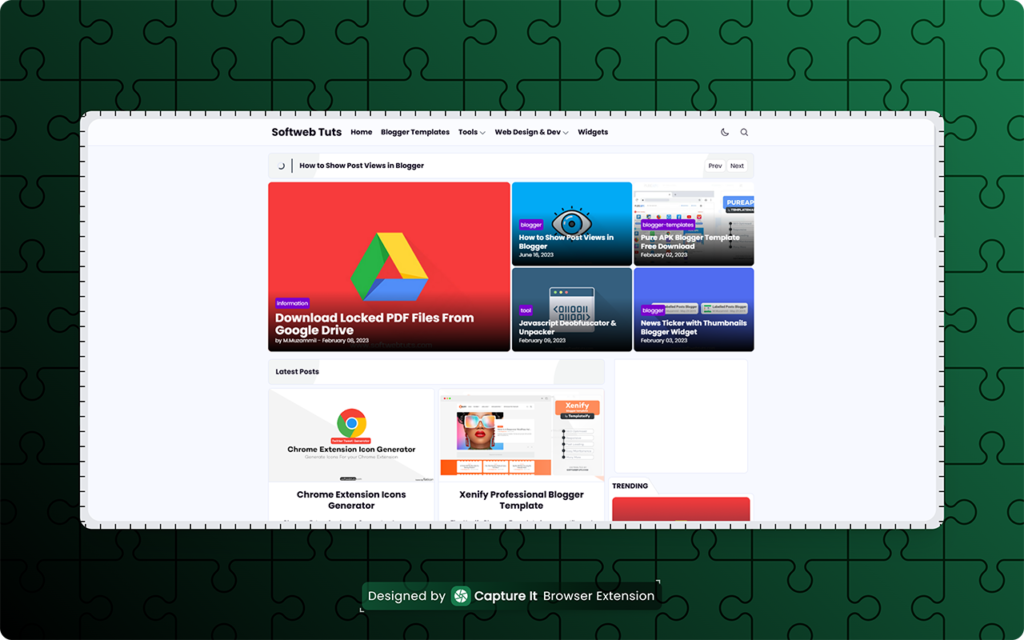
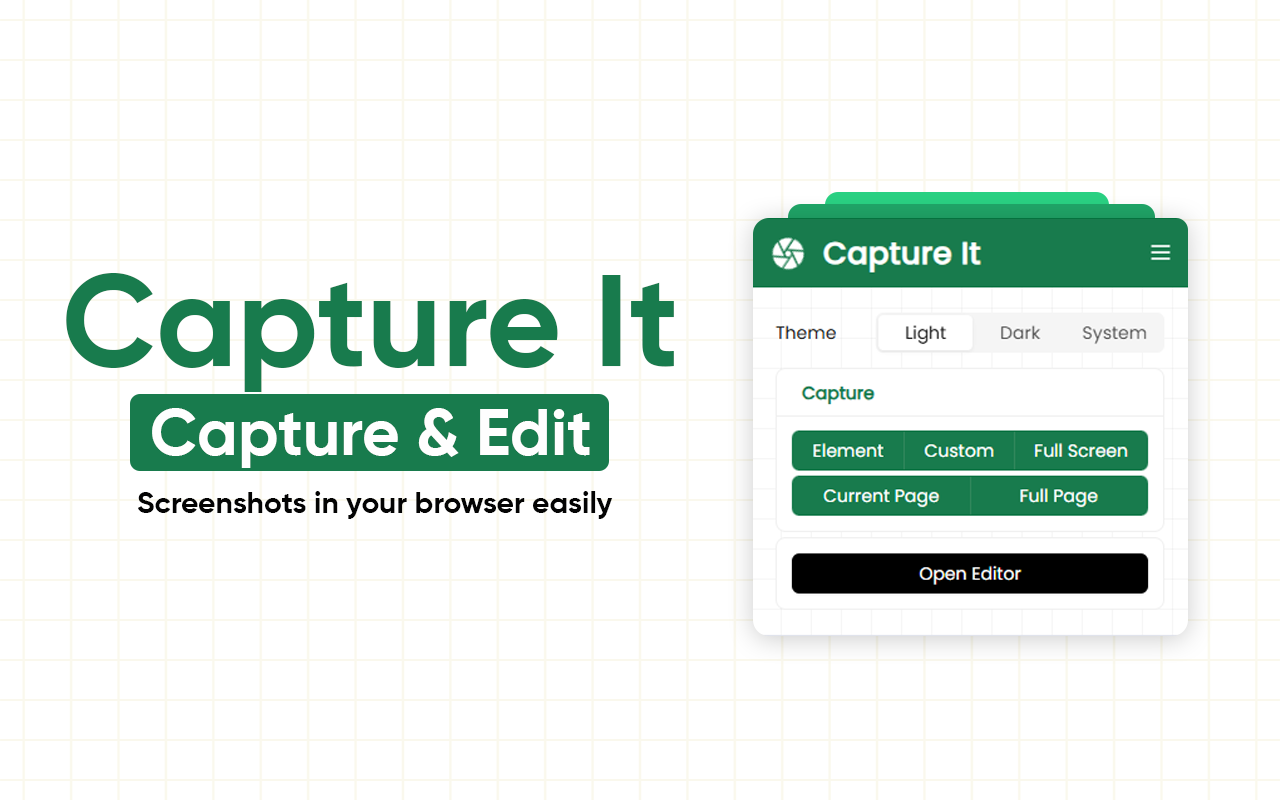
Tired of boring screenshots that lose fonts, layouts, and style? Capture It is here to change the game. This lightweight browser extension lets you capture and edit screenshots in stunning, pixel-perfect designs—directly in your browser. No extra apps. No distortions. Just perfect images.

Contents
Install Capture ItWhy Capture It Will Make You SmileKey Features That Make Capture It IrresistibleHow Capture It Works in 3 Simple StepsWho Should Absolutely Use It

Install Capture It

Install Capture It Browser Extension
Capture It - Capture & Edit Screenshots
Capture It – Capture & Edit Screenshots

Why Capture It Will Make You Smile

Imagine taking a screenshot, and everything looks exactly like your screen—fonts intact, layouts perfect, styles untouched. That’s Capture It. Designers, marketers, and creators are loving it because it makes images pop without extra effort.

Key Features That Make Capture It Irresistible

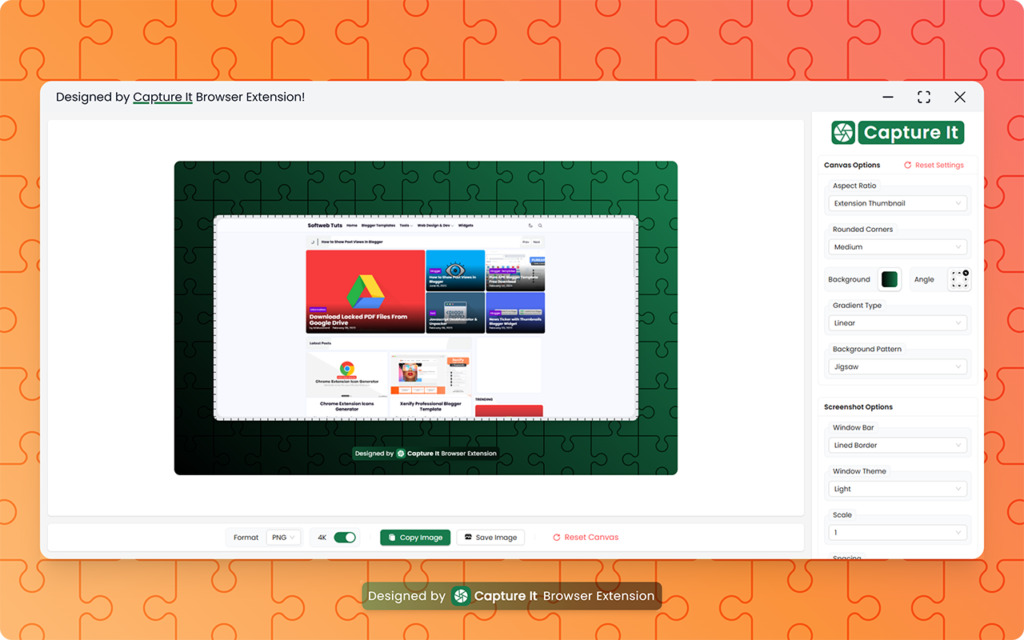
  • ✅ Pixel-perfect capture – every font, style, and layout preserved
  • 🎨 Live padding & margin controls – tweak spacing on the fly
  • 🔲 Rounded corners – smooth iOS-style or standard radius
  • 🖼️ Multiple export formats – PNG, JPG, WEBP, SVG
  • 🌗 Theme support – Light, Dark, or System auto-detect
  • 🙈 Element hiding – remove distractions instantly with one key
  • ⚡ Fast workflow – hover and capture in seconds
  • 🎑 Beautify images – gradients and more to make screenshots pop
  • ✂️ Re-crop and edit – refine your captures anytime
  • ⌨️ Keyboard-friendly – fast and accessible
  • 🔒 Privacy-first – 100% local processing
Capture It - Capture & Edit Screenshots
Capture It – Capture & Edit Screenshots

How Capture It Works in 3 Simple Steps

1️⃣ Click the Capture It icon
2️⃣ Hover or select the element you want to capture
3️⃣ Save, copy, or edit your screenshot instantly

Boom! That’s it. Your screenshots are now share-ready and gorgeous.

Who Should Absolutely Use It

  • Designers & developers who want perfect visual captures
  • Content creators making tutorials or social media posts
  • Professionals creating reports, presentations, or pitches

No more messy, distorted, or boring screenshots. With Capture It, your work stands out instantly.

Capture It isn’t just a tool—it’s your shortcut to stunning screenshots in seconds. Stop wasting time. Start capturing beautifully!


Share This Article
Facebook Twitter Copy Link Print
Share
By Muzammil
Follow:
I am Muzammil, a Self-taught Web Designer & Developer. I haven't yet completed my college degree. Started learning programming at the age of 12 and still learning. I love to work in JavaScript and make eye-catchy designs. Free for your calls :)
Previous Article Prompt Library - Save and Organize your Prompts Prompt Library – Unlock Prompt Efficiency with This Browser Extension
Next Article Easily Archive or Delete ChatGPT Chats in Bulk Delete ChatGPT Chats in Bulk – Browser Extension
Leave a comment Leave a comment

Leave a Reply Cancel reply

Your email address will not be published. Required fields are marked *

Latest News

Easily Archive or Delete ChatGPT Chats in Bulk
Delete ChatGPT Chats in Bulk – Browser Extension
Chrome Extension January 10, 2026
Prompt Library - Save and Organize your Prompts
Prompt Library – Unlock Prompt Efficiency with This Browser Extension
Chrome Extension Information August 15, 2025
React Web Workers
Master React Web Workers: Ultimate How-To Guide!
Information JavaScript August 14, 2025
Page Scroll Progress Bar in Blogger
How to add Page Scroll Progress Bar in Blogger
Uncategorized July 12, 2025
Featured on Twelve Tools Featured on Aura++ Featured on Open-Launch Capture It - Capture & Edit Screenshots - Live on FoundrList Listed on Turbo0 softwebtuts.com - Featured on Startup Fame Featured on Startups Lab Featured on LaunchIgniter Featured on findly.tools Fazier badge Capture It - Capture & Edit Screenshots badge Latest AI Updates
Softweb TutsSoftweb Tuts
Follow US
© 2025 Softweb Tuts. All Rights Reserved.
adbanner
AdBlock Detected
Our site is an advertising supported site. Please whitelist to support our site.
Okay, I'll Whitelist
Muzammil - Man Behind Softweb Tuts
Welcome Back!

Sign in to your account

Lost your password?