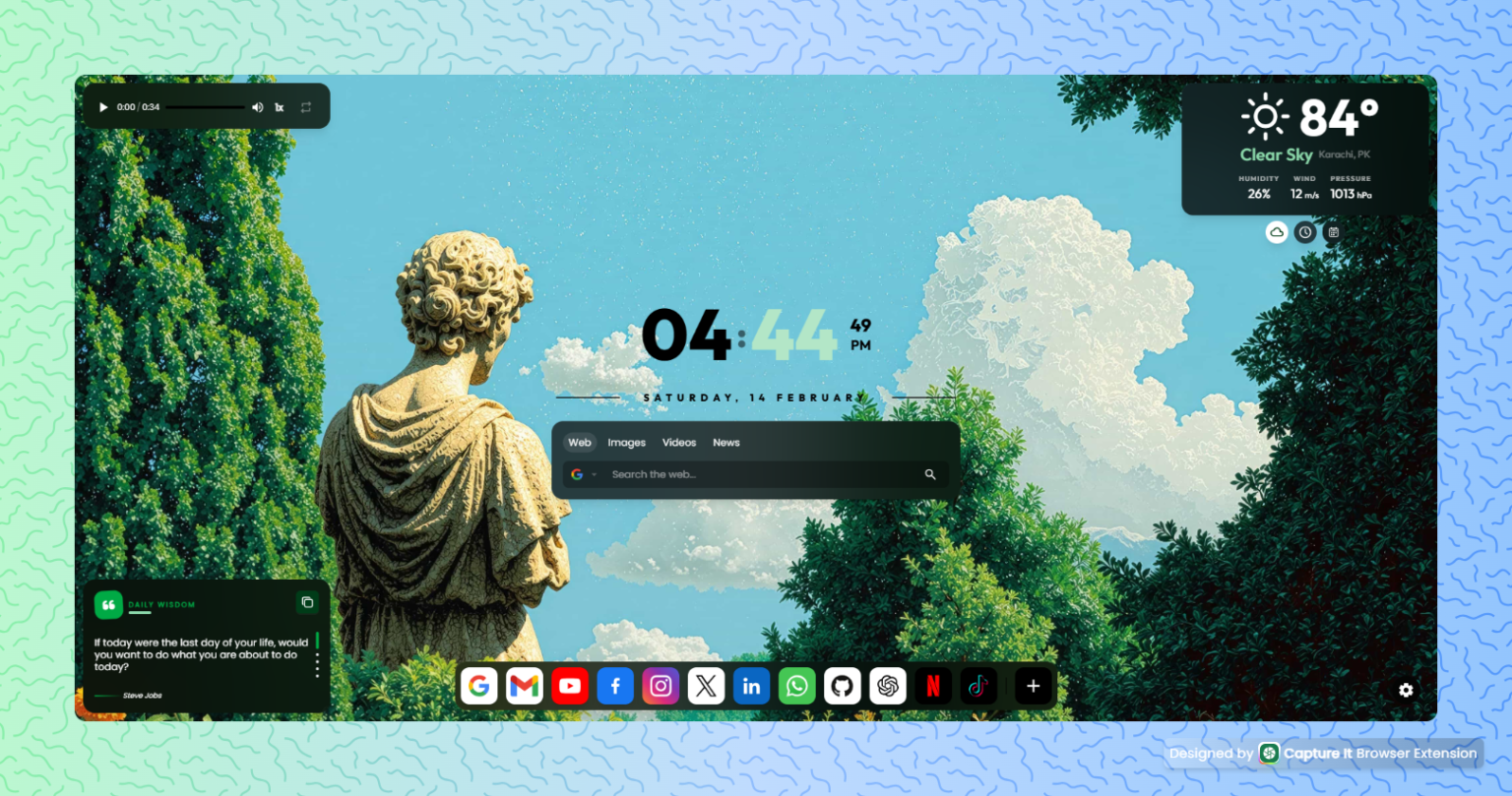
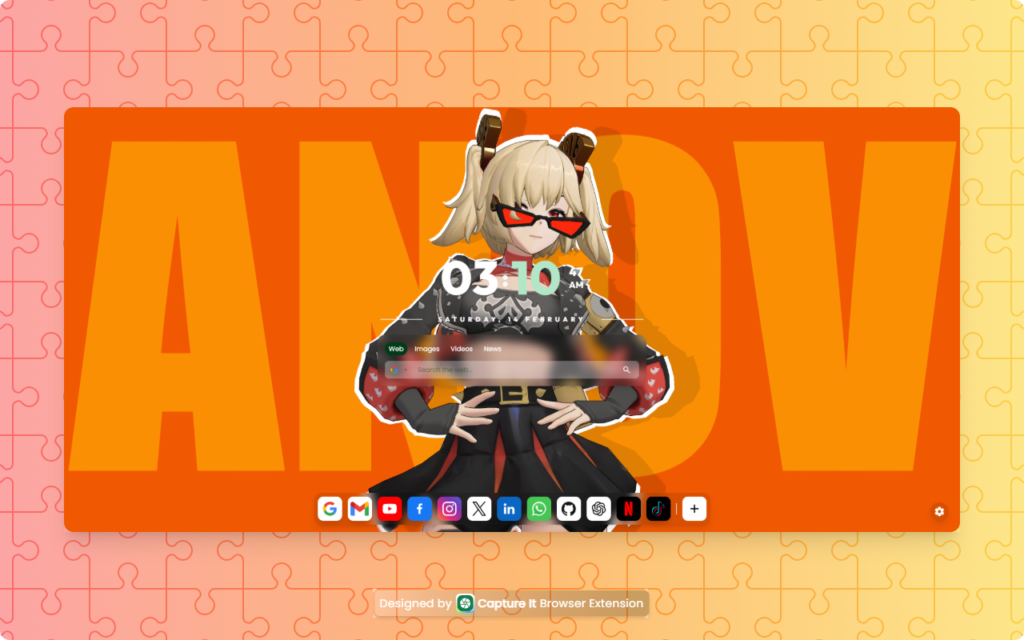
Tired of staring at a boring, blank Chrome new tab? Glossy New Tab turns every new tab into a vibrant, customizable dashboard where you can stay productive, inspired, and entertained.
Contents
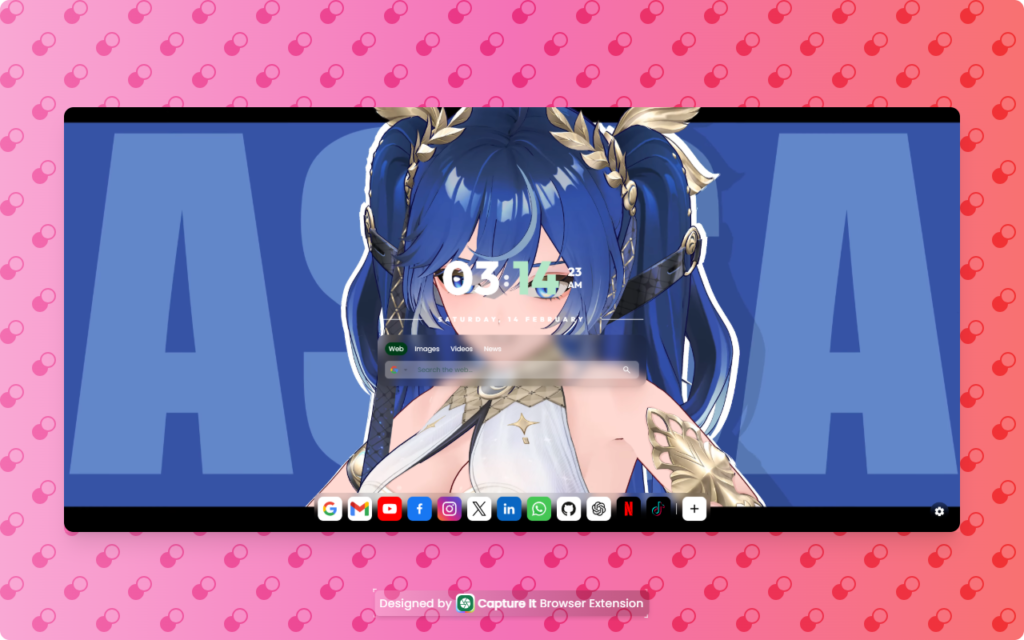
With Glossy New Tab, you can upload stunning wallpapers, play background music, and add widgets like clocks, weather, and calendars—making your browsing experience smarter and more enjoyable.
Key Features
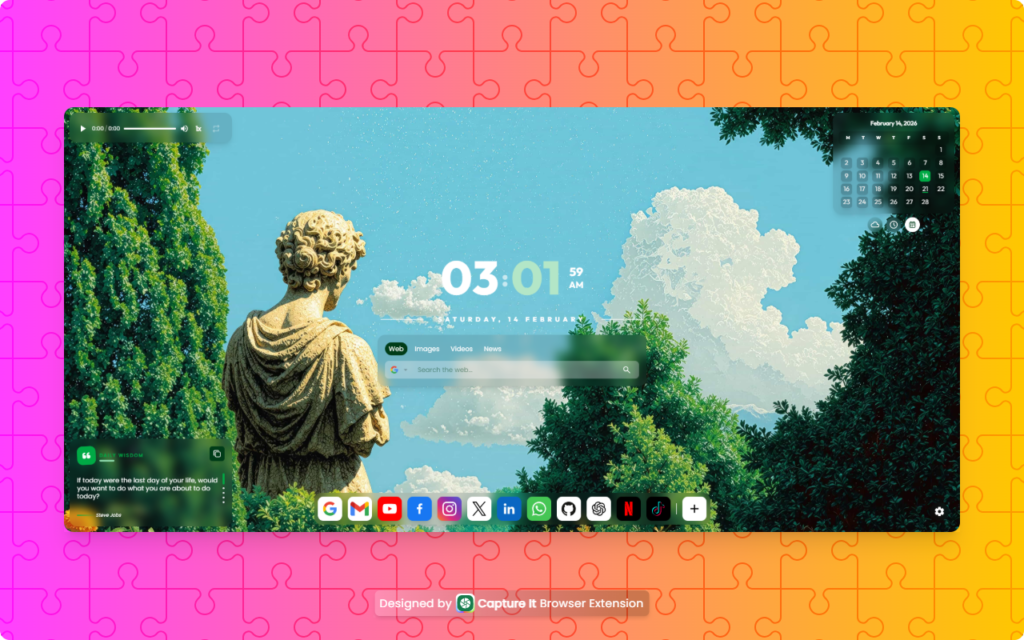
- Smart Search Bar: Instantly search using Google, Bing, DuckDuckGo, Yahoo, or Ecosia.
- Quick Shortcuts: Manage your favorite websites with one-click access via a right-click menu.
- Clock Widget: Elegant digital and analog clocks displaying the current date.
- Weather Widget: Real-time updates based on your location.
- Audio Player: Seamlessly play music in the background, even when tabs are inactive.
- Custom Backgrounds: Upload static images or live wallpapers, stored locally for speed and privacy.
- Settings Sidebar: Full control over themes, widgets, and layout in a user-friendly interface.
- Future Widgets: Sticky notes, to-do lists, and more planned for upcoming updates.
- Mac OS-Style Bottom Bar: Navigate easily and enjoy a sleek, organized UI.
How It Works
Installing Glossy New Tab is simple:
- Click the Install Now button to visit the Chrome Web Store.
- Hit Add to Chrome and confirm the installation.
- Open a new tab and explore the default dashboard.
- Upload your favorite wallpapers, set up widgets, and personalize the layout using the settings sidebar.
- Play music, check the weather, and manage your daily schedule—all in one tab.
Benefits / Why Use It
- Search Smarter: Use multiple search engines without opening extra pages.
- Access Favorites Fast: One-click shortcuts keep your favorite websites handy.
- Stay Informed & On Time: Digital/analog clocks and live weather widgets at a glance.
- Enjoy Background Audio: Play music or ambient sounds without interrupting browsing.
- Personalize Your Dashboard: Upload wallpapers and videos to make your tab truly yours.
- Full Customization: Adjust themes, layouts, and widgets with ease—no coding required.
Compatibility & Requirements
- Browser Support: Google Chrome (latest version recommended).
- System Requirements: Works on Windows, macOS, and Linux with Chrome installed.
- Internet Connection: Required for live wallpapers, music streaming, and weather updates.
Pricing
- Free Plan: Access core features including wallpapers, basic widgets, and the audio player.
- Premium/Freemium: Unlock advanced customization, additional widgets, and priority updates (coming soon).
User Reviews / Testimonials
- “I never thought a new tab could be this fun and productive!” – Sarah M.
- “Glossy New Tab keeps me organized and entertained while working online.” – Jason L.
- “The live wallpapers and widgets make my Chrome feel brand new.” – Priya K.
Call to Action (CTA)
Upgrade your browsing experience today! Make your new tab beautiful, functional, and personalized with Glossy New Tab.